1Accessing the webmail
Go to webmail.dinao.com and sign in with the email address and password of your mailbox.
- A smartphone with an authenticator app installed: Google Authenticator, Microsoft Authenticator, FreeOTP, 2FAS…
- The current password of your email address.
- Allow 3 uninterrupted minutes: the QR code is hidden automatically after this time.
2Step by step
Open the settings
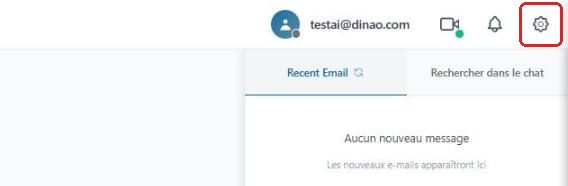
Once logged in, click the gearengrenage icon at the top right.
Open the “Security” section
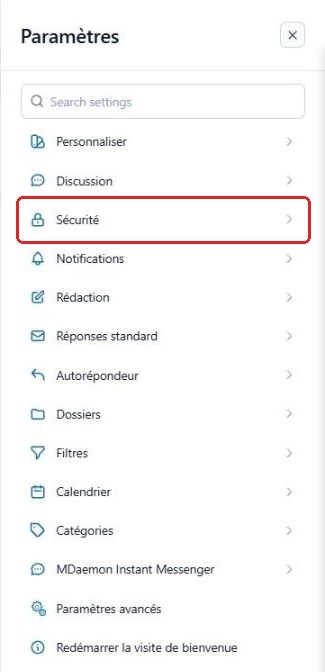
In the SettingsParamètres menu, select “Security”Sécurité.
Choose the authenticator app
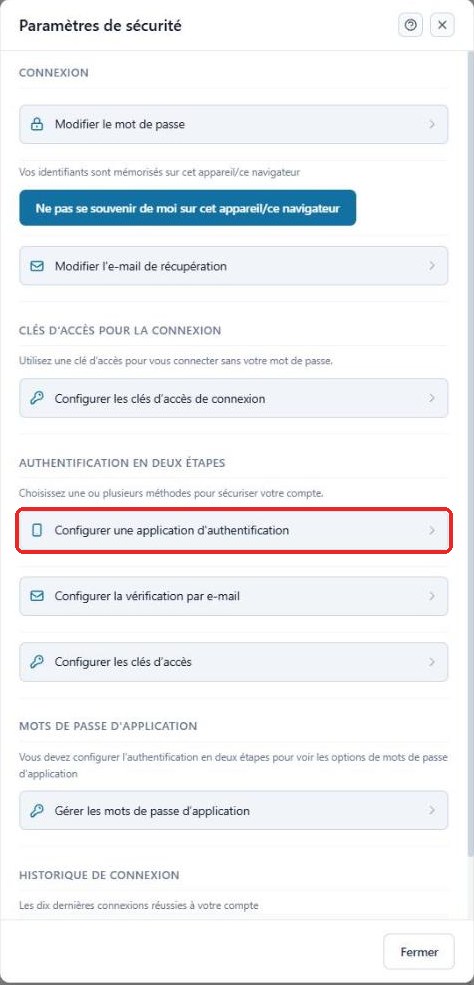
In the “Two-Step Authentication”Authentification en deux étapes section, click “Set up an authenticator app”Configurer une application d'authentification.
Confirm with your password
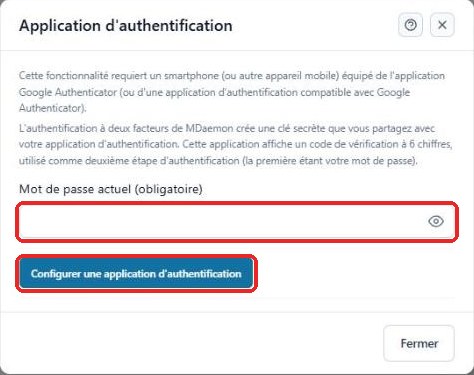
Enter your current passwordmot de passe actuel, then click the “Set up an authenticator app”Configurer une application d'authentification button.
Scan the QR code
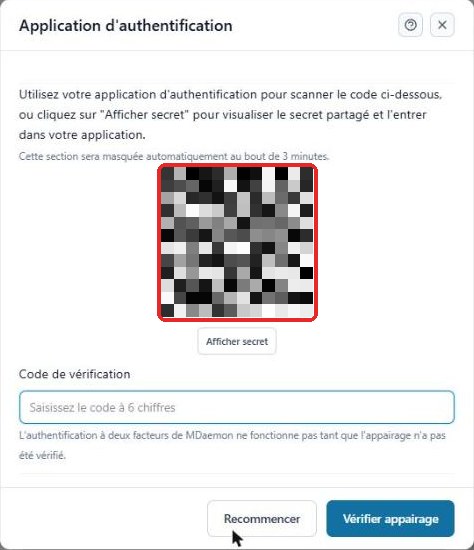
Open the authenticator app on your smartphone, choose to add an account, then scan the QR code shown on the screen.
If you cannot scan it, click “Show secret”Afficher secret and enter the key manually in the app.
Validate the pairing
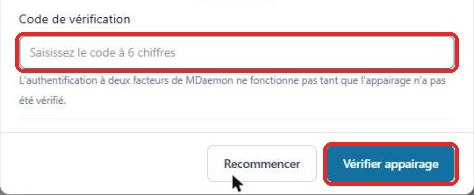
The app displays a 6-digit code for your email address. Enter it in the “Verification code”Code de vérification field, then click “Verify pairing”Vérifier appairage.
Check that it is enabled
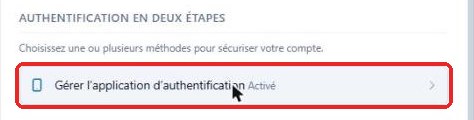
Back in the security settings, the line now reads “Manage authenticator app – Enabled”Gérer l'application d'authentification – Activé.
The next time you sign in to the webmail, the 6-digit code from the app will be requested after your password.
Change phone or disable 2FA
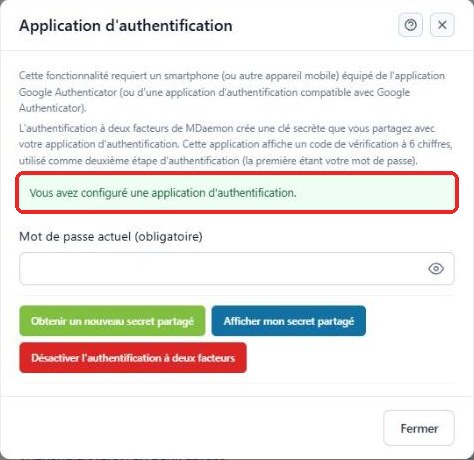
By clicking “Manage authenticator app”Gérer l'application d'authentification, then entering your current password, you can:
- Get a new shared secretObtenir un nouveau secret partagé: if you change smartphone or if the secret may have been exposed (you then need to scan the QR code again);
- Show my shared secretAfficher mon secret partagé: to add the account on a second device;
- Disable two-factor authenticationDésactiver l'authentification à deux facteurs.
3Good to know
4Need help?
Open a ticket from your DINAO client area, stating the guide number and the step where you stopped.