1Accessing the webmail
Go to webmail.dinao.com and sign in with the email address and password of your mailbox.
Do not confuse them with your DINAO client area credentials: these are two different accounts.
Good to knowThe screenshots show the webmail in French. The labels in brackets are those visible on the screenshots; in your webmail they appear in the language you have chosen (guide no. 1).
2Step by step
1
Open the settings
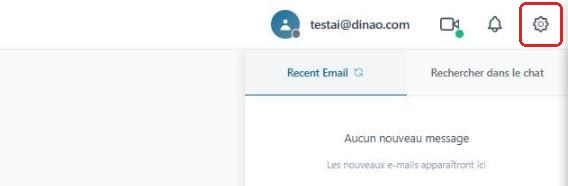
Once logged in, click the gearengrenage icon at the top right.
2
Open the “Personalize” section
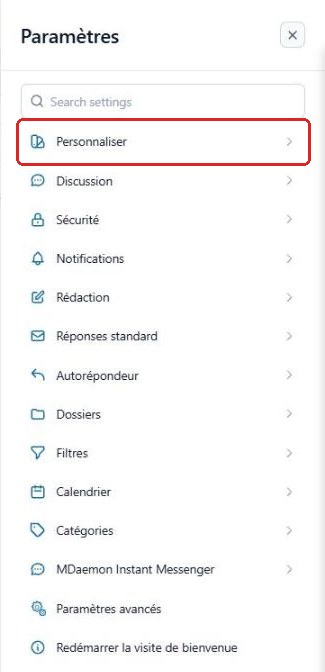
In the SettingsParamètres menu, select “Personalize”Personnaliser.
3
“Mail” section: list and sorting
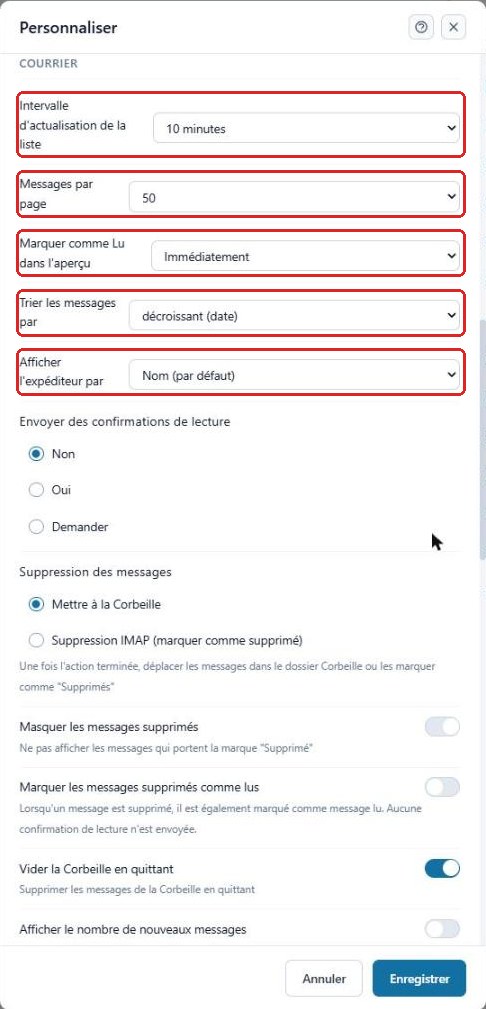
Scroll down the window to the MailCourrier section and set:
- List refresh intervalIntervalle d'actualisation de la liste: how often new messages are checked;
- Messages per pageMessages par page;
- Mark as Read in previewMarquer comme Lu dans l'aperçu: immediately, after a few seconds or never;
- Sort messages byTrier les messages par and Display sender byAfficher l'expéditeur par.
4
Display options
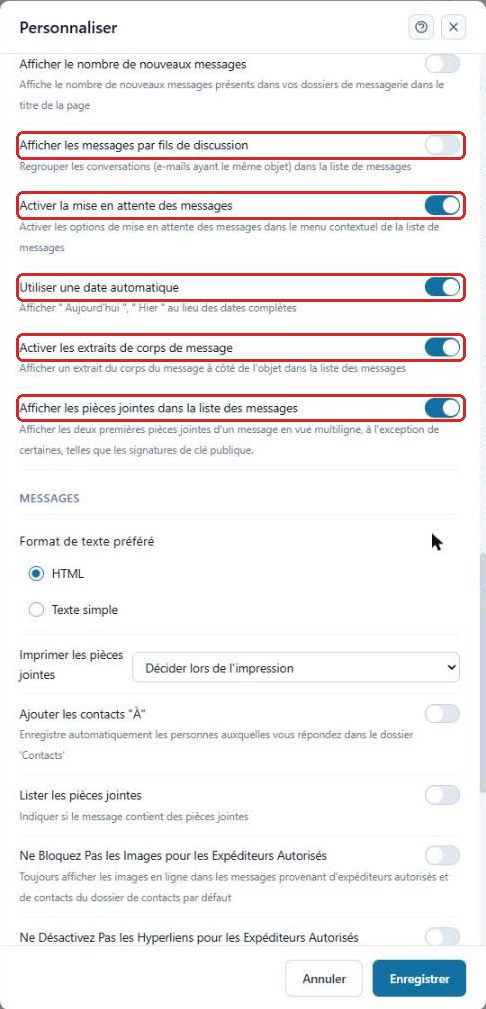
Further down, turn the following on or off according to your preferences:
- Display messages by threadAfficher les messages par fils de discussion: groups emails that have the same subject;
- Enable message snoozingActiver la mise en attente des messages: lets a message reappear later;
- Use automatic dateUtiliser une date automatique: displays “Today”, “Yesterday”;
- Enable message body snippetsActiver les extraits de corps de message: preview of the text next to the subject;
- Show attachments in the message listAfficher les pièces jointes dans la liste des messages.
5
Save
Click “Save”Enregistrer at the bottom of the window to apply your changes.
3Need help?
Open a ticket from your DINAO client area, stating the guide number and the step where you stopped.