1Accessing the webmail
Go to webmail.dinao.com and sign in with the email address and password of your mailbox.
Do not confuse them with your DINAO client area credentials: these are two different accounts.
Good to knowThe screenshots show the webmail in French. The labels in brackets are those visible on the screenshots; in your webmail they appear in the language you have chosen (guide no. 1).
2Step by step
1
Open the settings
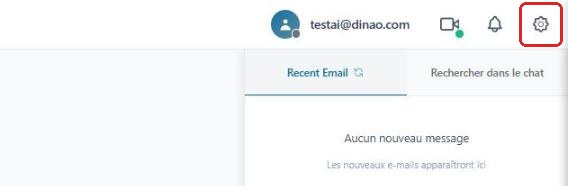
Once logged in, click the gearengrenage icon at the top right.
2
Open the “Canned Responses” section
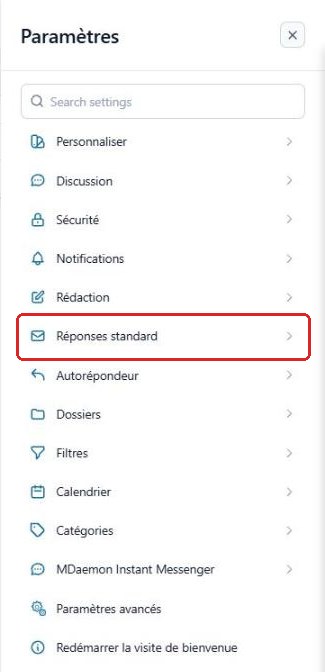
In the SettingsParamètres menu, select “Canned Responses”Réponses standard.
3
Create a template
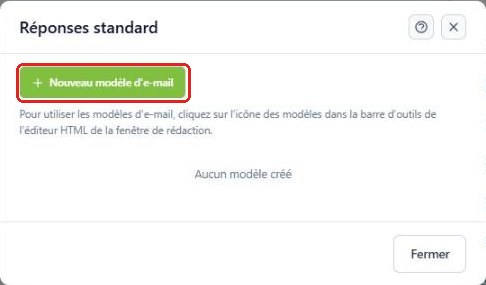
Click “New email template”Nouveau modèle d'e-mail.
4
Write the template
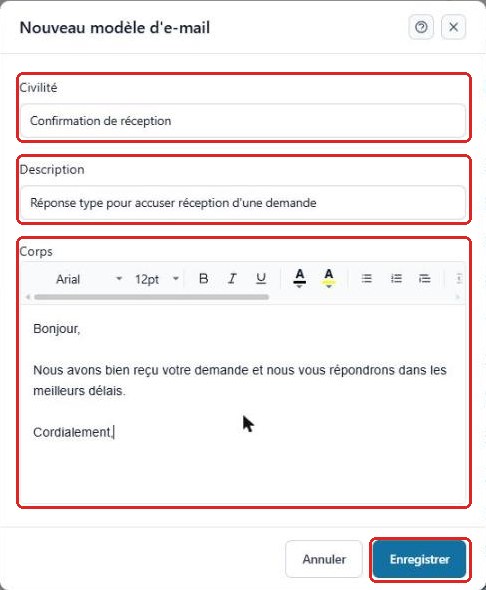
Fill in the template titletitre (“Title” field), a description and the message bodycorps, then click “Save”Enregistrer.
5
Find your templates
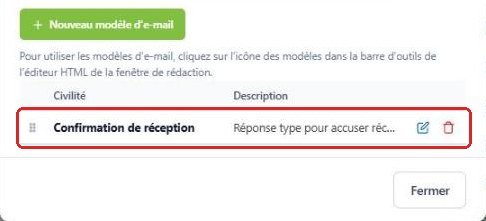
The template appears in the list; the icons on the right let you edit or delete it.
6
Insert a template into a message
In the compose window, click the templates icon in the editor toolbar, then choose the template to insert.
3Need help?
Open a ticket from your DINAO client area, stating the guide number and the step where you stopped.