1Accessing the webmail
Go to webmail.dinao.com and sign in with the email address and password of your mailbox.
2Step by step
Open the settings
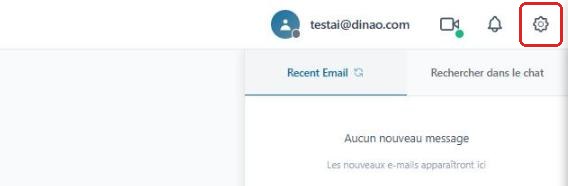
Once logged in, click the gearengrenage icon at the top right.
Open the advanced settings
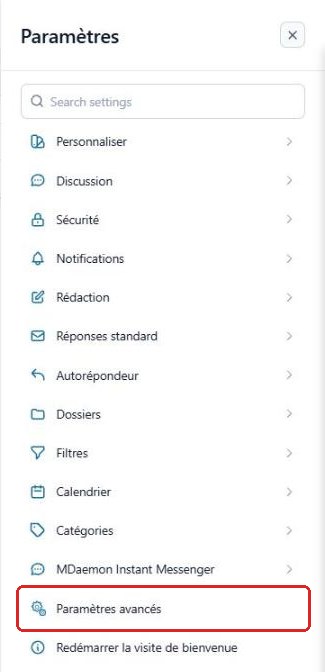
In the SettingsParamètres menu, click “Advanced Settings”Paramètres avancés.
A new “MDaemon Remote Administration”Administration de MDaemon tab opens in your browser: you are already logged in with your email account.
Open the “My Mailing Lists” tab
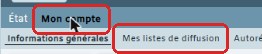
Click My AccountMon compte, then the “My Mailing Lists”Mes listes de diffusion tab.
Manage subscriptions
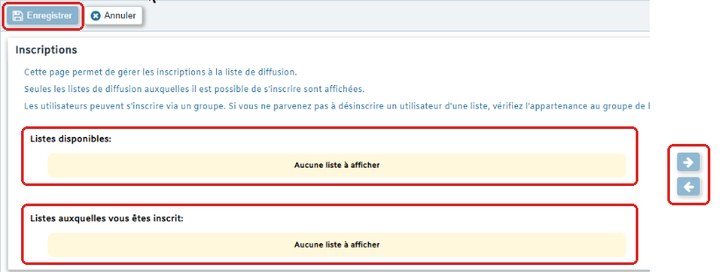
Select a list in Available listsListes disponibles and click the right arrow to subscribe; select it in Lists you are subscribed toListes auxquelles vous êtes inscrit and click the left arrow to unsubscribe. Then click “Save”Enregistrer.
3Need help?
Open a ticket from your DINAO client area, stating the guide number and the step where you stopped.