1Accessing the webmail
Go to webmail.dinao.com and sign in with the email address and password of your mailbox.
- A secondary email address (different from the one you are protecting).
- Your current password.
2Step by step
Open the settings
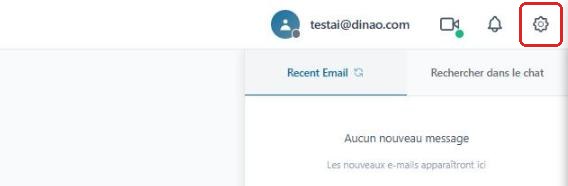
Once logged in, click the gearengrenage icon at the top right.
Open the “Security” section
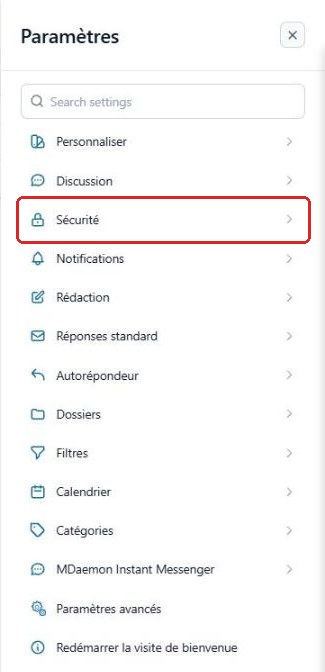
In the SettingsParamètres menu, select “Security”Sécurité.
Open “Set up email verification”
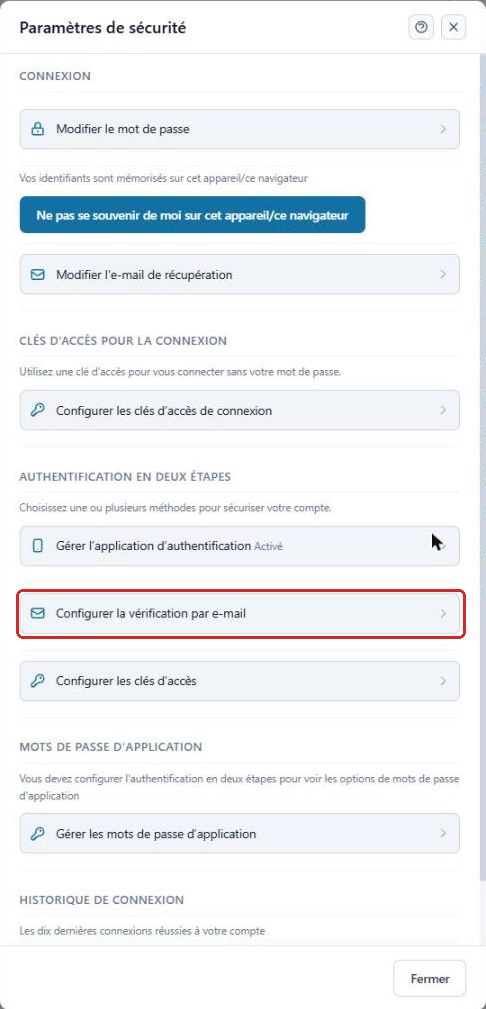
In the Two-Step AuthenticationAuthentification en deux étapes section, click “Set up email verification”Configurer la vérification par e-mail.
Enter the address that will receive the codes
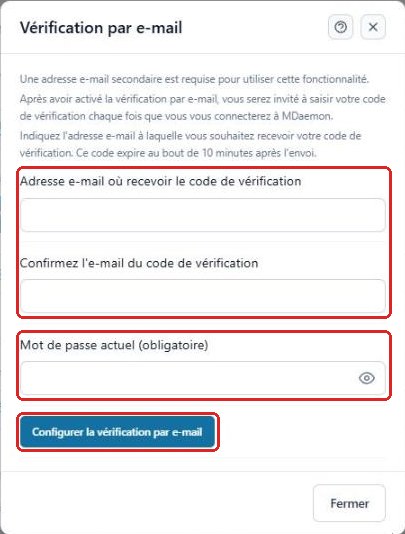
Enter the secondary address twice, then your current password, and click “Set up email verification”Configurer la vérification par e-mail.
Validate the address
A code is sent to the secondary address. Enter it in the “Verification code”Code de vérification field that appears, then click “Verify email”Vérifier l'e-mail. If you have not received it, use “Resend code”Renvoyer le code (remember to check your junk mail).
3Good to know
4Need help?
Open a ticket from your DINAO client area, stating the guide number and the step where you stopped.